How to Write an AI Property Description for Real Estate: Prompts & Examples
To write an AI property description, give the model the facts rather than asking it to be creative: address, price, specifications, three or four specific features, and the tone you want. Then edit the result for accuracy and cut anything that could describe a different house. AI is good at structure and bad at knowing which detail matters.
Why do AI property descriptions sound generic?
An AI property description is only as specific as its prompt, and a vague prompt produces a vague description. Asked to "write a property description for a 4-bed house in Toronto", a model has nothing to work with but the average of every listing it has seen — which is how you get "this stunning family home offers spacious accommodation".
The fix is not a better model. It is giving it the specifics only you have.
What should an AI property description prompt include?
Five things. Leave any of them out and the model fills the gap with something generic.
- The facts. Beds, baths, floor area, lot size, year built, price, neighbourhood.
- Three or four specifics. Not "lovely garden" — "south-facing terrace off the kitchen", "six-stall barn", "kitchen rebuilt in 2019".
- Who it is for. A family buyer and a downsizer want different sentences about the same house.
- Length and tone. "90 words, plain, no superlatives" gets you much closer than leaving it open.
- What to avoid. Naming the cliches you do not want is surprisingly effective.
| Instead of | Give it |
|---|---|
| "lovely garden" | "south-facing terrace off the kitchen" |
| "spacious living areas" | "living room runs the full depth of the plan" |
| "modern kitchen" | "island kitchen seating four, rebuilt 2019" |
| "close to amenities" | "two stops from the station, primary school on the same road" |
| "write a description" | "90 words, plain, no superlatives, open with the most unusual thing" |
A prompt that works
Write a 90-word property description for a brochure.
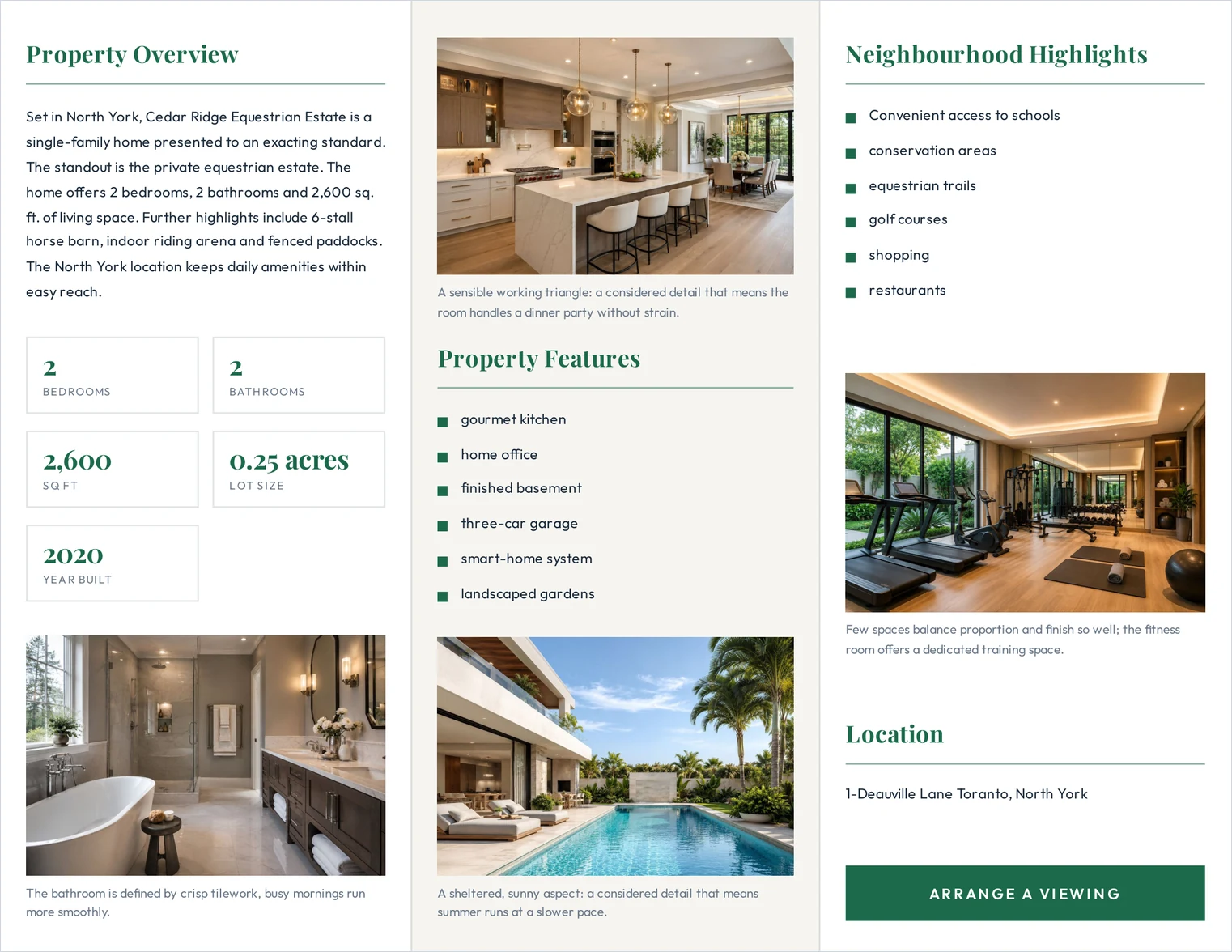
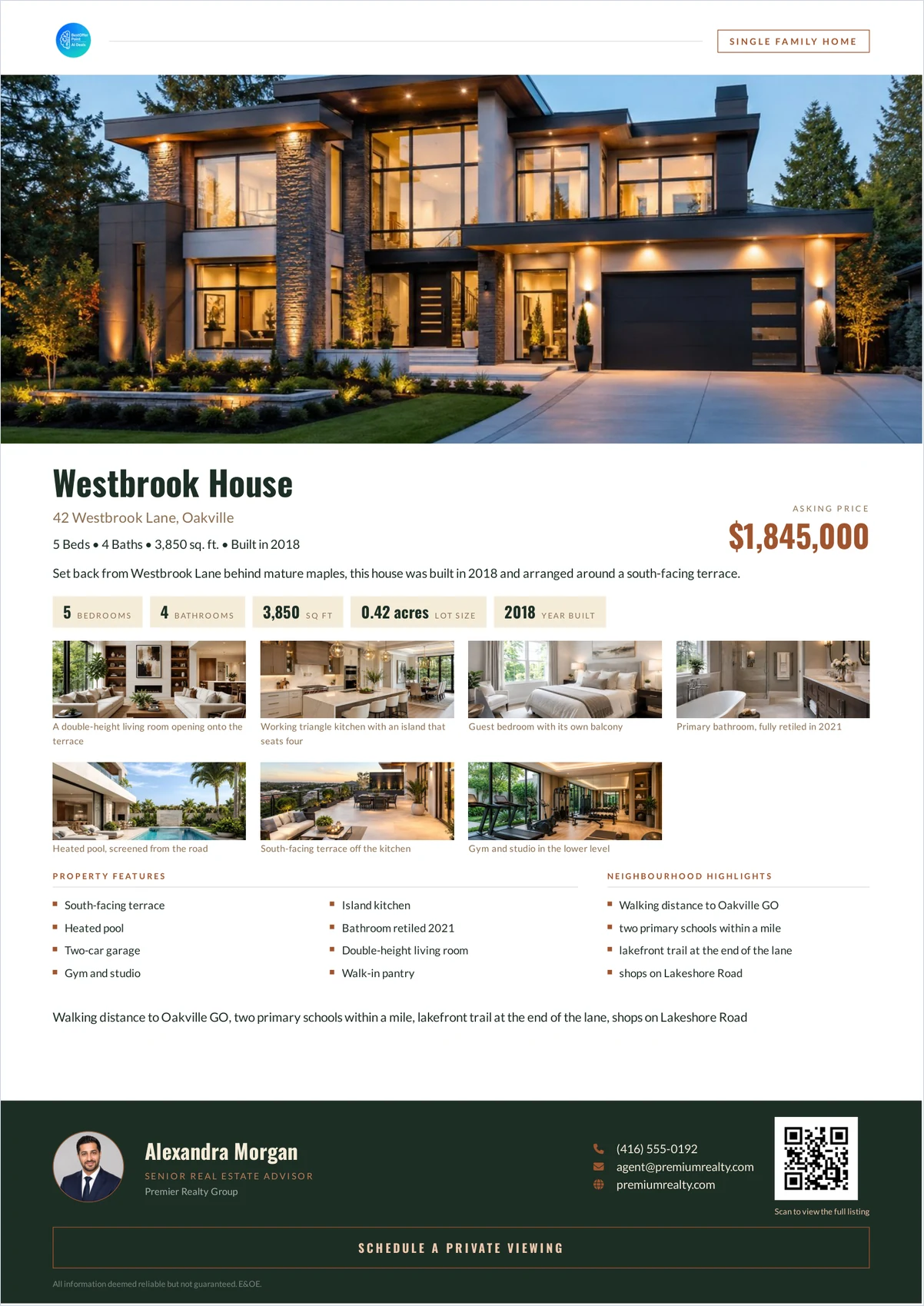
Facts: 5 bed, 4 bath, 3,850 sq ft, 0.42-acre lot, built 2018, Oakville, $1,845,000.
Specifics: south-facing terrace off the kitchen; living room runs the full depth of the plan with sliding glass to the terrace; island kitchen seating four; heated pool screened from the road; gym and studio on the lower level.
Buyer: family moving from a smaller house in the same area.
Tone: plain and factual. No superlatives. Do not use "stunning", "nestled", "boasts", "dream home", or "must see".
Start with the single most unusual thing about the property.
The last line does more than the rest. Without it a model opens with the location or the bedroom count, which every competing listing also has.
How do you edit what comes back?
Four passes, in this order. The first two are not optional.
- Check every fact. Models add plausible details that were never in the prompt — a fireplace, a finished basement, a school catchment. Anything you did not supply, delete or verify. A description claiming a feature the house lacks is a problem well beyond bad copywriting.
- Cut anything portable. If a sentence would fit another listing unchanged, it is spending words to say nothing.
- Read the first line alone. It carries most of the weight. If it could open any brochure, rewrite it.
- Shorten. Models pad. A 90-word target usually produces 120 words, and the extra 30 are rarely the good ones.
What AI is genuinely good at here
- Per-room captions. Eight short captions is tedious work and a model does it consistently.
- Re-tone. The same facts, rewritten for a different buyer, in seconds.
- Trimming. "Cut this to 80 words without losing a fact" is something models do well and people do reluctantly.
- First drafts of the dull parts. Neighbourhood notes, feature lists.
And what it is bad at: knowing which detail is the selling point. That judgement comes from having stood in the house.
Does the description change by format?
Yes. A brochure description competes with the photographs, so it should be shorter — around 80 to 140 words. A listing-page description is read by someone who has already chosen to read, and can run longer. Write the brochure version first; it is the harder constraint, and the longer one expands from it easily.
ListifyPDF can generate a description and per-photo captions from the listing details you have already entered, which you then edit before generating the brochure. The brochure checklist covers where the description sits on the page.
Common questions
- Can AI write a real estate listing description?
- It can write a usable draft from facts you supply. It cannot decide which feature matters most, and it will invent details if the prompt leaves room, so every draft needs checking against the property.
- How long should a property description be?
- Around 80 to 140 words on a brochure, where photographs are competing for attention. Longer is reasonable on a listing page.
- Will AI-written descriptions hurt my listing?
- Only if they are generic or wrong. A description edited for accuracy and specificity reads as yours regardless of how the first draft was produced. An unedited one reads like every other unedited one.
- What words should I avoid in a property description?
- The ones that appear on every listing: stunning, nestled, boasts, dream home, must see, spacious, charming. Not because they are untrue but because they are unfalsifiable, so they carry no information.
- Should I disclose that a description was AI-assisted?
- Advertising rules are set by your local regulator or board and vary, so check what applies to you. The substantive obligation is accuracy — a description must not misrepresent the property, however it was drafted.
- Can AI write the photo captions too?
- Yes, and this is where it saves the most time, because eight short captions is exactly the repetitive work people skip. Check each against the photograph — a caption describing a room that is not in the frame is worse than no caption.