7 Best Real Estate Brochure Makers for Agents in 2026: Compared
The best real estate brochure maker depends on the workflow you need. Canva, Adobe Express and Visme give you element-level control over the design. Paperturn turns a finished PDF into a trackable online brochure, and Flipsnack does that as well as generating brochures from listing data. EstateVue and ListifyPDF work the other way round: listing details and photographs in, finished property PDF out. These categories overlap more than they used to, so the question is less which tool is best than which workflow you want.
- How we compared these real estate brochure makers
- What are the main real estate brochure makers?
- Do these tools still fall into clean categories?
- Design editors: Canva, Adobe Express and Visme
- Interactive publishers: Flipsnack and Paperturn
- Listing-driven generators: EstateVue and ListifyPDF
- What should you compare when choosing a brochure maker?
- Is a free real estate brochure maker good enough?
- How do you know a brochure will print well?
- Common questions
How we compared these real estate brochure makers
Worth being straightforward about where this information comes from, because it changes how much weight to give it.
The competitor entries describe publicly documented features — what each vendor says its product does, read from its own site and documentation. We did not run these tools side by side on the same listing, and nothing here is a hands-on verdict on them. Feature sets and plans change, so check the current details with the vendor before you commit.
The ListifyPDF figures are our own measurements, labelled as such wherever they appear. No prices appear anywhere in this article, deliberately: they change often enough that a figure written today would mislead you by the time you read it.
The comparison looks at the workflow each tool expects, how much of the layout you are responsible for, whether the output is a printable document or an online publication, whether branding and details carry between listings, and whether engagement can be tracked.
What are the main real estate brochure makers?
| Tool | Best for | Workflow | Output | Design control | Engagement tracking |
|---|---|---|---|---|---|
| Canva | Agents who want to design the brochure themselves | Pick a template, edit the layout | Print and digital | Element-level | Not its focus |
| Adobe Express | Agents who want a conventional template editor | Pick a template, customise the content | Print and digital | Element-level | Not its focus |
| Visme | Brochures alongside wider visual marketing | Template-based visual editor | Print and digital | Element-level | Varies by plan |
| Flipsnack | Interactive brochures, with listing automation | Listing data or your own design, published online | Online publication, printable options | Element-level in its editor | Yes |
| Paperturn | Agents who already have a PDF | Upload a PDF, publish it as a flipbook | Online publication | Set by the PDF you supply | Yes |
| EstateVue | Feature sheets from listings already in its platform | Listing data, themed feature sheet | Print-ready PDF | Theme-driven | Not its focus |
| ListifyPDF | Repeatable branded property brochures | Enter the listing, choose a template, generate | Print-ready PDF | Template-driven by design | Not its focus |
Do these tools still fall into clean categories?
Less than they did. The useful split is still between designing a brochure, publishing one online, and generating one from listing data — but at least one tool now does two of those, so treat these as groupings rather than walls.
- Design editors — Canva, Adobe Express, Visme. You place everything; the tool holds the templates and the canvas.
- Interactive publishers — Paperturn, and Flipsnack. The brochure's main life is a link, and you can see what was read.
- Listing-driven generators — EstateVue, ListifyPDF, and Flipsnack's MLS route. Property data in, finished document out.
Flipsnack appears twice on purpose. That overlap is the most significant change in this category, and an article that sorted it into one box would be describing the market as it was rather than as it is.
Design editors: Canva, Adobe Express and Visme
These share a shape: a template library and a canvas, with substantial control over layout, typography, photographs, colour, spacing and branding.
They are a strong fit when the brochure needs a custom visual treatment, or when you are also producing social graphics, signage and listing presentations and want one tool for all of it. The trade is that you are responsible for arranging the design on each listing, and for keeping it consistent with the last one.
Canva — best for design flexibility
Canva provides extensive control over layout, imagery, typography and branding, with a broad template library including real estate. It suits a one-off brochure that has to look a particular way, an agent who enjoys designing, and anyone producing several kinds of marketing material in the same place. The trade-off is manual layout work that repeats with every listing.
Adobe Express — best for straightforward template editing
Adobe Express offers real estate brochure and flyer templates with flexible editing in the browser. It suits agents who want a conventional design-editor workflow, particularly those already using Adobe tools. Like the others here, you remain responsible for arranging the content and holding consistency across listings.
Visme — best for wider visual marketing
Visme is a template-based visual editor covering brochures alongside presentations, reports and marketing graphics. It fits when the brochure is one output among several. Some engagement features exist depending on the plan. The trade-off is the same: more manual layout than a listing-driven generator.
Interactive publishers: Flipsnack and Paperturn
Flipsnack — best for interactive brochures with listing automation
Flipsnack is the tool that no longer fits one category. Alongside its interactive publishing — page-flipping brochures, embedded video, links and maps, and engagement analytics — it documents an MLS feature that pulls listing details and photographs from a connected MLS account and populates a pre-designed template, which you can then edit.
So it competes both with the design editors and with the listing-driven generators, and it is the stronger fit when the brochure's digital life and its engagement data matter as much as the printable document.
Paperturn — best for turning an existing PDF into a trackable online brochure
Paperturn is most useful when you already have a brochure PDF and want it presented online as an interactive flipbook, with sharing and viewing analytics. The trade-off is that it starts where a brochure maker finishes: it is not a listing-data-to-PDF generator, so the document's design is whatever you supplied.
Listing-driven generators: EstateVue and ListifyPDF
A different bargain. You do not place anything; you supply the property and the tool produces the document.
EstateVue — best for feature sheets from listings already in its platform
EstateVue generates print-ready feature sheets from listings held in its own platform, with a set of pre-built design themes and custom design available. It suits agents already using that platform who want a printable sheet per listing without laying each one out.
ListifyPDF — best for repeatable branded property brochures
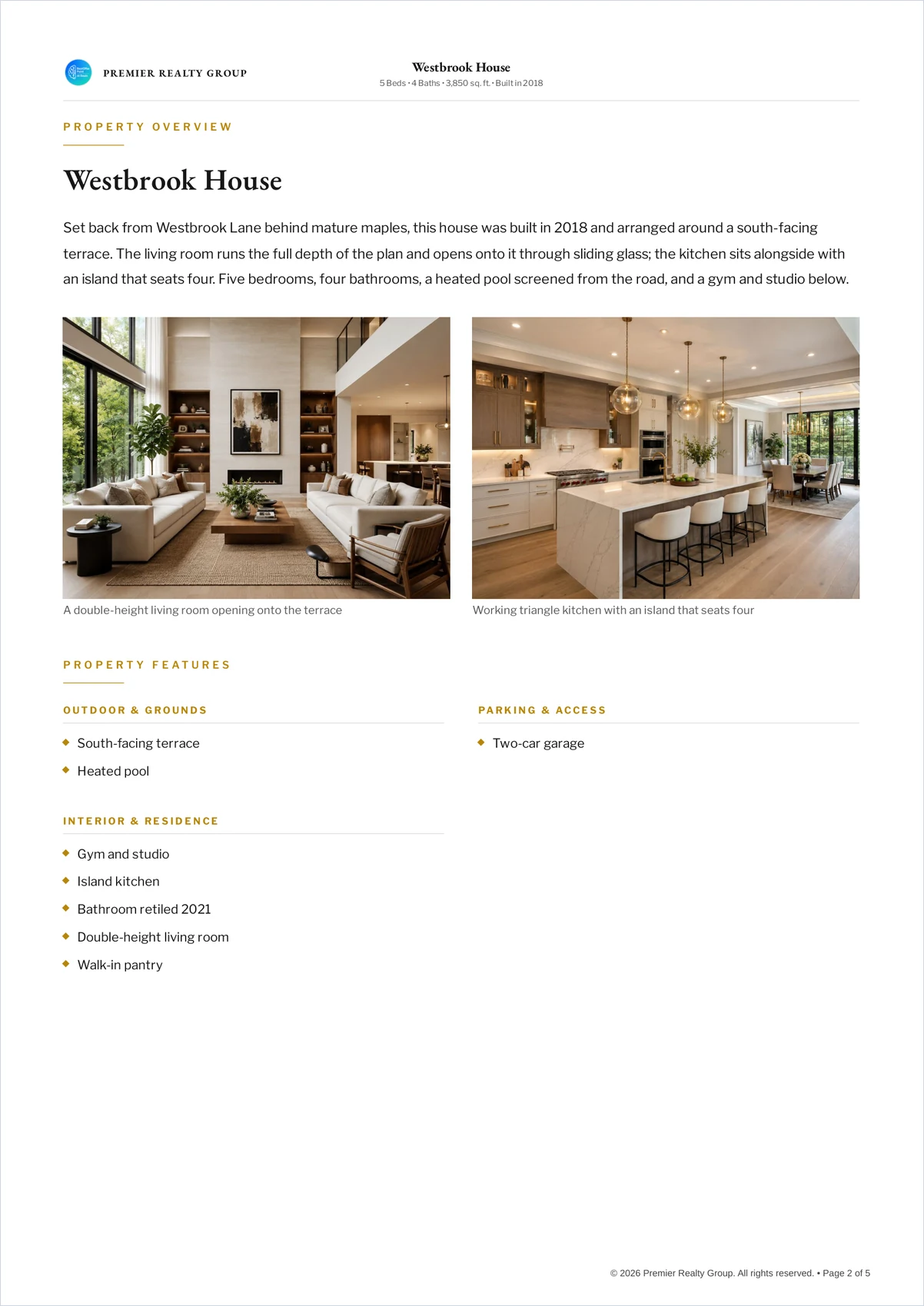
ListifyPDF is for agents who know what belongs in the brochure but do not want to design the document from scratch for every new listing. You provide the listing; it produces the brochure.
- Enter the property information
- Upload the photographs
- Add or reuse your agent and brokerage details
- Choose a template
- Generate the finished PDF
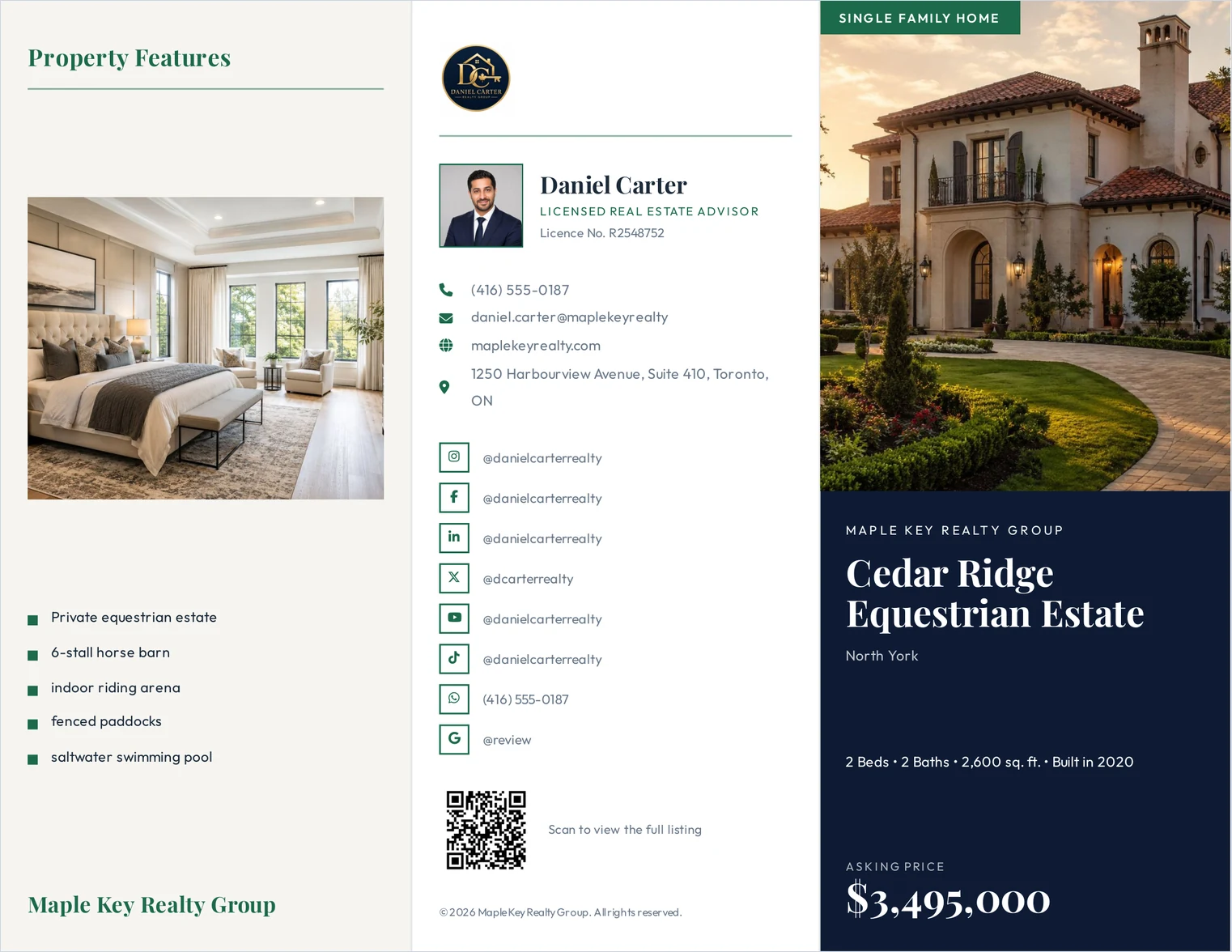
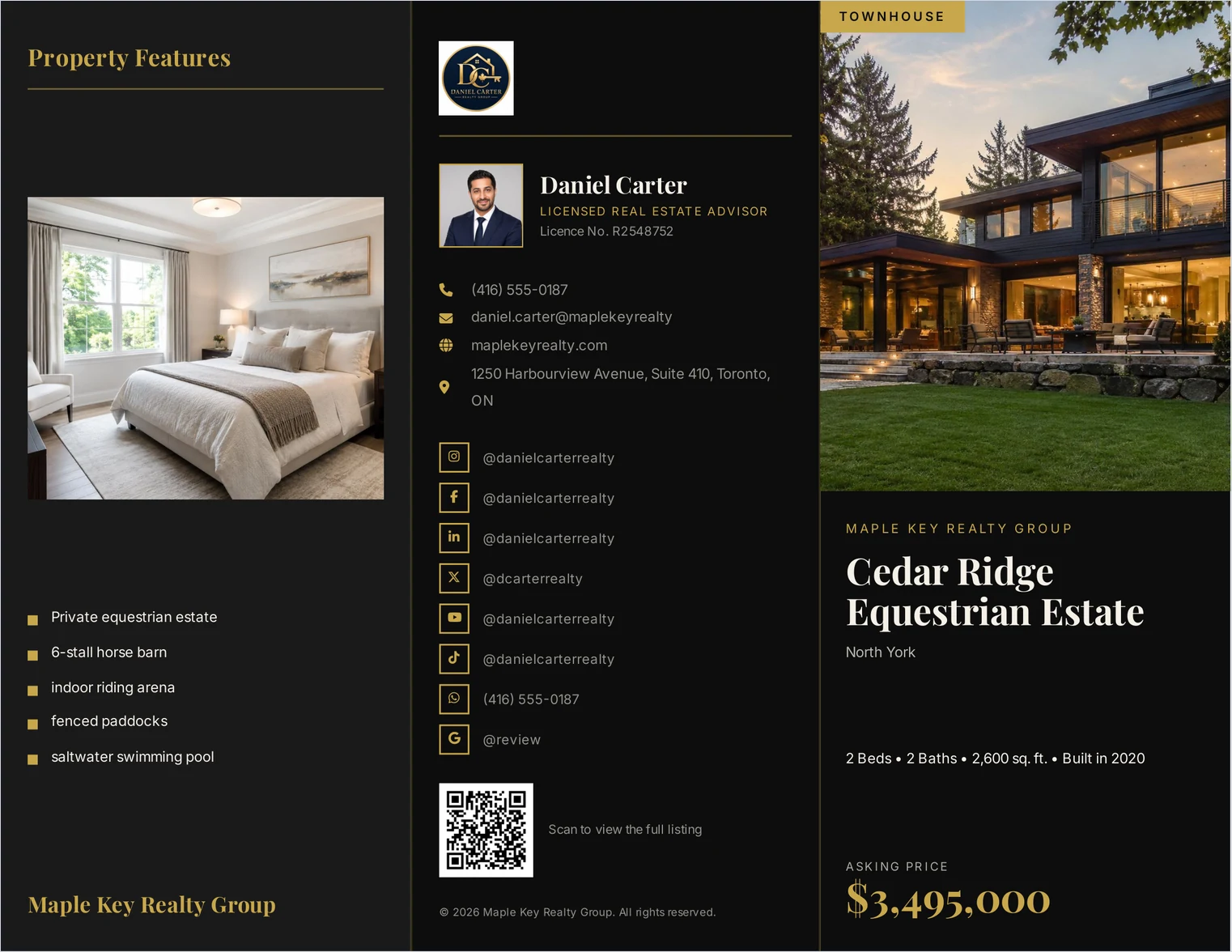
It carries agent and brokerage branding, including your photograph and brokerage logo, contact details, photo captions, property descriptions and a QR code to the listing, across single-page, flyer, trifold and booklet layouts. See the real estate brochure templates for what each layout holds.
ListifyPDF test. In one of our own tests using a single-page layout, the cover photograph measured approximately 312 DPI. In a separate test, a sixteen-photograph brochure produced a PDF of about 1.2 MB. Actual results vary with the source images and the template chosen.
Who should choose ListifyPDF?
It earns its place when brochures are routine rather than occasional, and specifically for agents who want listings to look like a consistent branded set, would rather not reposition photographs and text for every property, want agent and brokerage details reused automatically, need details, photographs, descriptions and features in one workflow, use QR codes, and mainly need a printable PDF rather than an interactive publication.
Choose Canva, Adobe Express or Visme when you want to control every design element. Choose ListifyPDF when you want the brochure structure handled and would rather concentrate on the property.
ListifyPDF is not trying to replace a full design editor. It removes the need for one when the job is turning a property listing into a consistent, professional brochure.
When ListifyPDF may not be the right choice
If you want to position every element, choose fonts freely and build an entirely custom layout, a design editor such as Canva, Adobe Express or Visme gives you more flexibility.
If the goal is an interactive online publication with detailed engagement analytics, Flipsnack or Paperturn are a better fit, and we do not compete on that.
And if you make a brochure only occasionally and enjoy designing it yourself, the consistency a generator buys you is worth less than the flexibility you would give up.
What should you compare when choosing a brochure maker?
Six questions settle this faster than a feature matrix.
- Print, digital, or both? If the deliverable is a printed or emailed PDF, weigh page layout and image quality. If engagement tracking matters, an interactive publisher is the better category.
- How often do you make brochures? The more frequently you do, the more valuable reusable branding, saved details and predefined layouts become — and the less the one-off flexibility is worth.
- How much design control do you want? Element-level control points to a design editor; less manual work points to a generator; an interactive experience points to a publisher.
- Do you need reusable branding? A saved agent profile, brokerage logo and contact details are where repeated mistakes creep in when they have to be re-added by hand.
- Do you need analytics? Interactive publishing tools are where engagement data lives. Most document generators do not offer it.
- What output do you actually need? A print-ready PDF, a printed handout, a shareable link, or a flipbook are different deliverables, and few tools are best at all of them.
Is a free real estate brochure maker good enough?
Sometimes. Free access varies considerably between platforms: some offer free templates, some restrict premium assets or export formats, and others provide a time-limited trial rather than a permanent free plan.
Rather than choosing on price, check whether the free option supports the output you actually need — particularly downloadable PDFs at print quality, your own branding, and the number of brochures or projects you expect to create. A brochure you cannot export at print resolution is a brochure you cannot print, and that limit is easy to miss until the listing is live.
How do you know a brochure will print well?
Two separate checks, and they are often conflated.
Print quality is about effective resolution at the final printed size, plus the page dimensions being what you intended. A photograph that looks sharp on screen can still be too small for the space it prints in; our guide to real estate brochure sizes and formats gives the pixels each slot needs.
Searchability and accessibility is a different property: open the PDF and try to select a line of text. If it is selectable it can be searched, copied and read by a screen reader. If it is not, the text was rendered as outlines or an image. That affects those things — it does not by itself mean the brochure will print badly.
Common questions
- What is the best real estate brochure maker?
- There is no single best tool for every agent. Canva, Adobe Express and Visme suit agents who want detailed design control. Flipsnack and Paperturn are stronger when interactive publishing and engagement data matter. EstateVue and ListifyPDF are focused on generating property documents from listing data.
- Can I use Canva for real estate brochures?
- Yes. Canva provides real estate brochure templates and extensive layout control. It works particularly well when you want to customise the design by hand, or produce several kinds of marketing material in the same platform.
- What is the fastest way to make a property brochure?
- For repeated listing work, a property-focused generator reduces manual design because the structure is already established. For a highly customised one-off, a design editor may get you there faster, since you are not working around someone else's template. See how to create a real estate brochure for the steps either way.
- Do I need design software to make a brochure?
- No. A design editor is useful when you want full control of the layout. A listing-driven generator is the alternative when you would rather enter the property information and let a predefined template handle the arrangement.
- Does a brochure maker need to support print and digital?
- Only if you use both. One print-ready PDF usually serves a viewing handout and an emailed follow-up. A separate interactive version is worth it when you want to know which pages were read.
- Should I pay for a brochure maker?
- Pay when the paid features save enough time, or provide something your workflow actually needs. An occasional brochure may be straightforward with free tools, while agents producing them regularly tend to get more from reusable branding, predefined layouts and higher-quality exports.