Real Estate Brochure Sizes & Formats: Flyer, Trifold or Booklet?
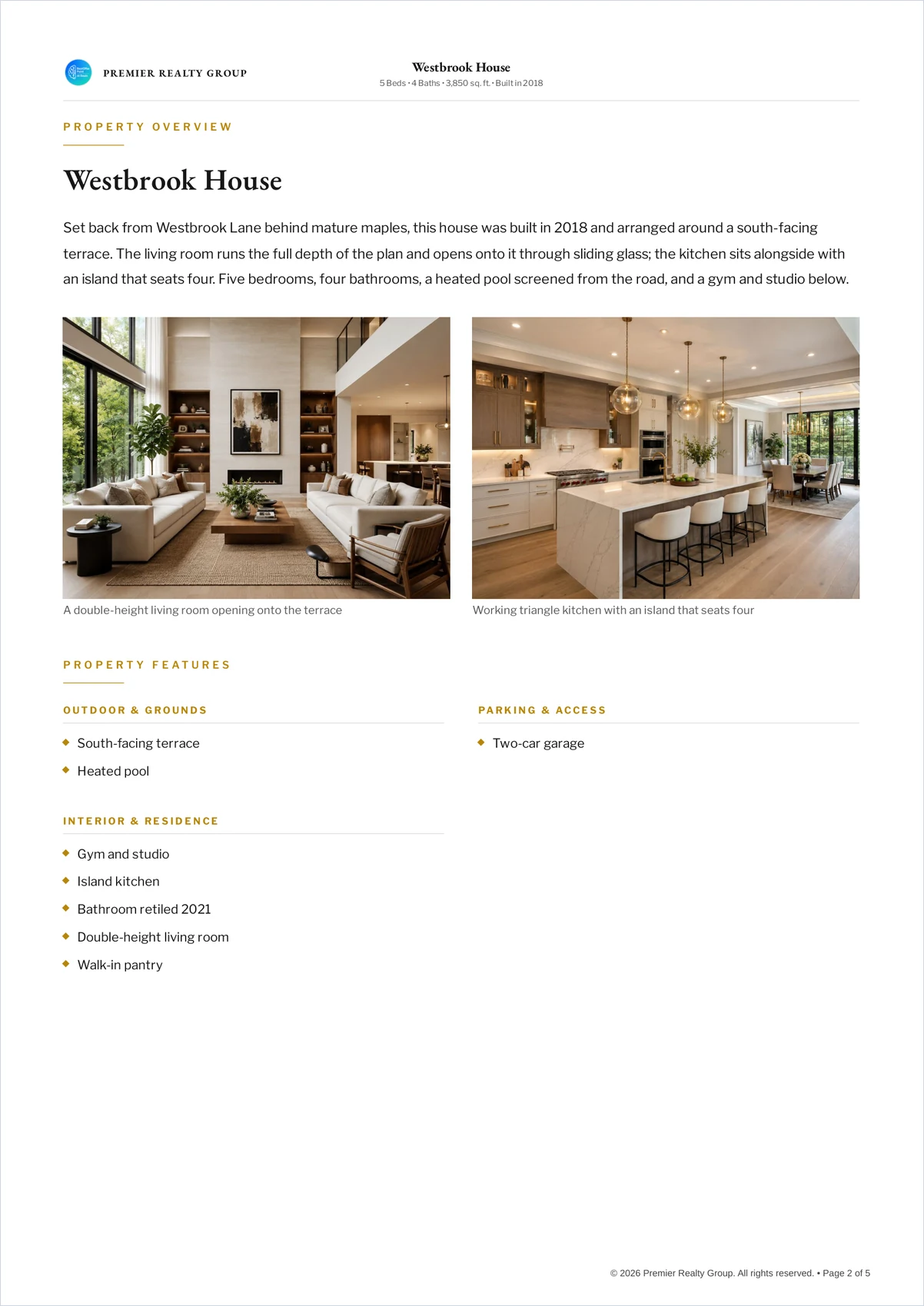
Real estate brochures are printed in four formats: a one-page flyer, a single-page brochure, a trifold on an 11 × 8.5 inch sheet folded into three 3.67 inch panels, and a multi-page booklet. Flyers and brochures use A4 (8.27 × 11.69 in) or US Letter (8.5 × 11 in) depending on where you are.
What size is a real estate brochure?
Real estate brochure sizes depend on which of four formats you mean. These are the printed dimensions, not design canvas sizes.
| Format | Sheet | Folded / bound | Faces |
|---|---|---|---|
| Flyer | A4 or US Letter | Flat | 1–2 |
| Single-page brochure | A4 or US Letter | Flat | 1–2 |
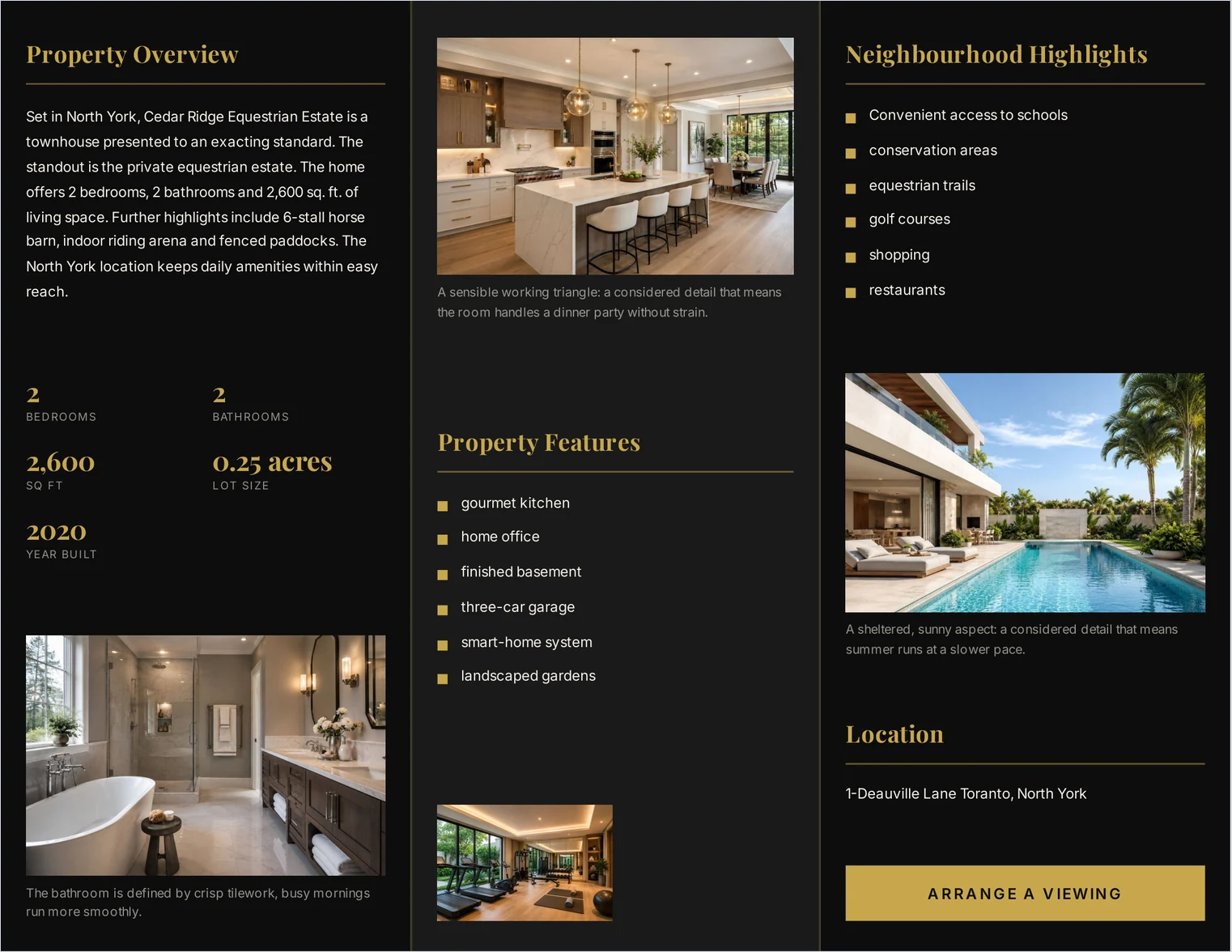
| Trifold | 11 × 8.5 in landscape | Three panels of ~3.67 in | 6 |
| Booklet | A4 or US Letter | Folded or stitched | 4–8+ |
A4 or US Letter — does it matter?
Yes, and it is the detail most often got wrong. A4 is 8.27 × 11.69 inches; US Letter is 8.5 × 11 inches. A4 is narrower and taller.
Print an A4 document on a Letter printer and the driver scales it to fit, which shrinks everything by about 3% and leaves uneven margins — usually more at the top and bottom than the sides. It is not ruinous, but it is visible next to a document set for the right paper.
So: Letter in the United States and Canada, A4 almost everywhere else. Decide before you design, because a layout that fills one leaves a band of white on the other.
How many pixels does each photograph need?
This is the part that decides whether a brochure prints sharply, and it has a simple answer: inches on the page × 300. Print shops ask for 300 DPI, so a photograph three inches wide needs 900 pixels, and one across a full A4 page needs 2,481.
What makes it worth a table is that a brochure's photographs are not all the same size, so they do not all need the same file.
| Where the photograph sits | Printed width | Pixels for 300 DPI |
|---|---|---|
| Full-page cover (A4) | 8.27 in | ~2,481 |
| Full-width on a Letter page | 8.5 in | ~2,550 |
| Half page | ~4 in | ~1,200 |
| Full trifold panel | 3.67 in | ~1,101 |
| Two-column gallery | ~3.4 in | ~1,020 |
| Three-column gallery | ~2.4 in | ~720 |
| Small thumbnail | ~1.5 in | ~450 |
Two things fall out of that. A photograph from any recent phone — around 4,000 pixels wide — is comfortably enough for every row in the table. And a gallery thumbnail given a 4,000 pixel file is carrying roughly nine times the pixels it can show, which is how brochures end up too large to email.
ListifyPDF test. In our own testing, sizing each photograph to the space it occupies rather than embedding every one at full resolution produced a sixteen-photograph brochure of about 1.2 MB, with the cover measuring approximately 312 DPI. Results vary with the template and the source images.
Which format suits which listing?
| Listing | Format | Why |
|---|---|---|
| Studio or one-bed | Flyer | Few rooms worth photographing |
| Standard family home | Single-page brochure | Everything on one sheet, front and back |
| Posted or handed over | Trifold | Fits an envelope; six faces |
| Large home | Booklet | Room for the photography |
| Estate or land | Booklet | Grounds need their own pages |
| Commercial space | Trifold | Specifications suit panels |
What about bleed and margins?
Two details that only appear once the file reaches a printer.
Bleed is extra artwork past the trim line, so that a photograph meant to reach the paper edge still does after the guillotine moves a fraction. Commercial printers usually ask for 3 mm on every edge, supplied as a slightly larger page with crop marks. A design that stops exactly at the trim line risks a white sliver along one side.
Margins are the opposite problem on a desktop printer, which cannot print to the edge at all — typically leaving 3 to 6 mm unprintable. Send a full-bleed design to an office printer and the driver shrinks the whole page to fit, which leaves an uneven white frame and makes the layout slightly smaller than intended.
So the honest answer depends on where it is being printed. For office printing, keep important content away from the outer 10 mm and accept the frame. For a print shop, ask what bleed they want before you design rather than after.
What should you check before printing?
- Paper size matches your printer. Letter or A4, decided before design.
- Cover photograph is large enough. About 2,500 pixels for a full page.
- Text is selectable in the PDF. If it is not, the fonts were converted to outlines, which makes searching and copying harder.
- Full-bleed artwork has somewhere to go. Desktop printers cannot print to the paper edge; a commercial printer will want bleed added.
- The file is small enough to email. A brochure nobody can open is not a brochure.
The brochure checklist covers the content side, and flyer vs brochure covers the choice between the two shorter formats.
Common questions
- What size is a trifold real estate brochure?
- Usually an 11 × 8.5 inch sheet in landscape, folded into three panels of about 3.67 inches each, giving six faces in total.
- Should I use A4 or US Letter?
- Letter in the United States and Canada; A4 in most of the rest of the world. Printing one on the other shrinks the page slightly and leaves uneven margins.
- What resolution do real estate brochure photos need?
- Printed inches multiplied by 300. A full-page photograph on A4 needs about 2,481 pixels across; a trifold panel needs about 1,101; a gallery thumbnail needs about 450.
- Why is my brochure PDF so large?
- Usually because every photograph is embedded at full camera resolution regardless of the size it prints at. Sizing each one to its slot cuts the file substantially with no visible difference on paper.
- Can one brochure be printed at both A4 and Letter?
- It can be printed, but it will not fit both exactly — one of the two will be scaled. If you need both, choose which is primary and accept a small adjustment on the other.
- How many pages should a booklet be?
- Four to eight for most listings. Stitched booklets are produced in multiples of four pages, so a design of five or six usually becomes eight on the press.