QR Codes for Real Estate Flyers & Brochures: Complete Guide for Agents
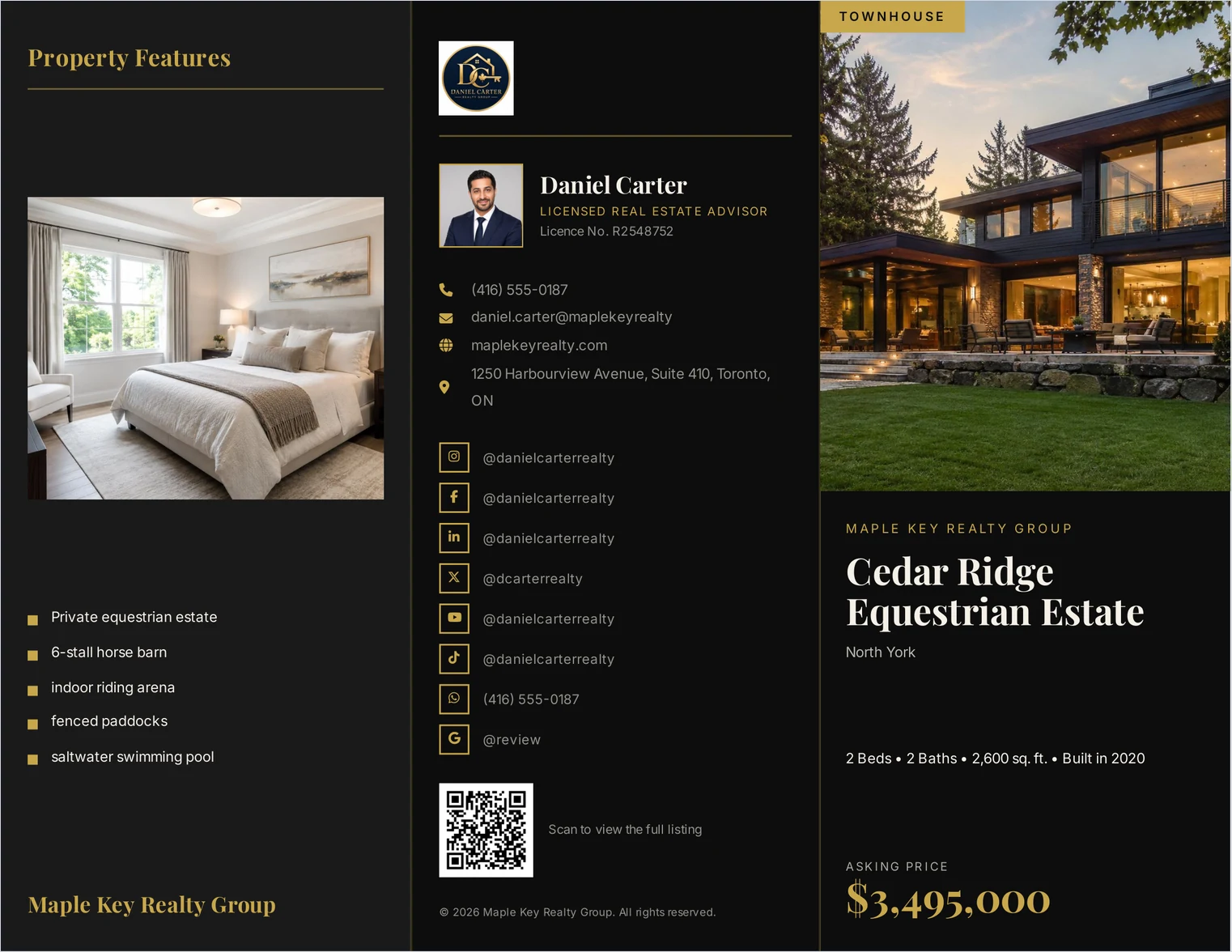
A QR code on a real estate flyer or brochure should point to the listing page for that property — not your homepage. It turns a printed sheet into a route back to you days after the viewing. Print it at least 2 cm square, test it before you print a hundred, and label it so people know what it does.
Why put a QR code on a property brochure?
QR codes for real estate solve a specific problem: a printed brochure is otherwise a dead end. Someone takes one from an open house, looks at it that evening, decides they are interested — and then has to type a URL or search for your name.
A QR code removes that step. It also quietly tells you something: codes can be tracked, so a code per listing shows which printed material actually gets scanned.
Where should the QR code point?
At the most specific page that exists. In order of usefulness:
| Destination | Good for |
|---|---|
| The listing page for this property | The default, and the right answer most of the time |
| A virtual tour or walkthrough video | Properties where the layout is hard to convey in photographs |
| A booking page for viewings | Open houses, where the next step is an appointment |
| A photo gallery | Listings with far more photographs than the brochure can hold |
| Your contact page | Vendor-facing material rather than a specific listing |
| Your homepage | Almost never — it makes the reader search again |
One code, one destination. A brochure with three codes asks the reader to choose, and most will not.

How big does a QR code need to be?
There is a usable rule: the code should be at least one tenth of the distance it will be scanned from. Scanned at 25 cm — someone holding a brochure — that means about 2.5 cm square. On a window card read from two metres away, it needs to be about 20 cm.
For print resolution, the same arithmetic as a photograph applies: inches multiplied by 300. A 2.5 cm code is about one inch, so roughly 300 pixels square. Codes are usually generated as vectors, which sidesteps the question entirely — but a code pasted in as a small screenshot will print soft and may not scan.
ListifyPDF test. The QR code on the brochures we generate is produced at print resolution rather than placed as a bitmap; in our own testing it measured well above 300 DPI on the page. The destination is whatever listing URL you enter.
What makes a QR code fail?
- Too small. The commonest failure, and the easiest to avoid.
- Printed over a photograph. Codes need quiet contrast. On a busy image, scanners struggle.
- Inverted. Light code on a dark ground works on some readers and not others. Dark on light is safe.
- No quiet zone. The blank margin around the code is part of the code. Crop it and scanning becomes unreliable.
- Unlabelled. "Scan to view the full listing" converts far better than a bare square.
- Pointing at a dead URL. A code on a brochure outlives the listing. Point it somewhere that will still resolve.
Should you use a dynamic QR code?
A static code encodes the URL directly; a dynamic one encodes a redirect you control. Dynamic costs money and adds a dependency, and buys two things: you can change the destination after printing, and you get scan counts.
That matters most when the listing sells. A static code on a hundred printed brochures points at a dead page forever; a dynamic one can be repointed at your current listings. For a single open house, static is fine.
Test it before you print
Three checks, and the third is the one people skip.
- Scan the PDF on screen with your own phone.
- Print one copy and scan the paper — print is where small codes fail.
- Scan it with a phone that is not yours, on mobile data rather than your office wifi. A code pointing at a staging URL works perfectly on your network and nowhere else.
The step-by-step brochure guide covers where the code sits on the page, and the open house checklist covers what to do with the scans.
Common questions
- Where should a QR code go on a real estate flyer?
- Near the contact details, in the lower third, with a short label. It is the last thing a reader looks at, which is also when they decide whether to act.
- What size should a QR code be on a brochure?
- At least one tenth of the scanning distance. About 2.5 cm square for something held in the hand; much larger for a window display.
- Should the QR code link to the listing or my website?
- The listing, in almost every case. A homepage makes the reader search for the property they were already holding.
- Do QR codes expire?
- The code does not, but the page it points to can. That is the argument for a dynamic code when the printed material will outlive the listing.
- Can I track QR code scans?
- With a dynamic code, yes — it redirects through a service that counts scans. A static code encodes the URL directly and cannot be counted, though your site analytics will show the visits.
- Why will my QR code not scan from the printed brochure?
- Usually size, contrast or the quiet zone. Check it is at least 2.5 cm, dark on light, not over a photograph, and that the blank margin around it has not been cropped.