Real Estate Social Media Post Sizes, and What Goes On Them
Real estate social posts are made at three sizes: 1080 × 1080 px square for feeds, 1080 × 1350 px portrait for Instagram and Facebook feeds, and 1080 × 1920 px for Stories and Reels covers. Square is the safe default: every platform accepts it and nothing crops it badly.
- What size should a real estate social media post be?
- Which size does each platform want?
- What belongs on a listing card
- Six listing posts, and what each one is for
- Just Listed
- Open House
- Just Sold
- Coming Soon
- Price Reduced
- For Lease
- Write the caption per channel, not once
- Five mistakes worth avoiding
- Common questions
What size should a real estate social media post be?
Three canvas sizes cover every platform an agent posts to. Design at these exact pixel dimensions and nothing has to be re-cropped later.
| Size | Pixels | Ratio | Use it for |
|---|---|---|---|
| Square | 1080 × 1080 | 1:1 | Instagram, Facebook, LinkedIn, X — anything |
| Portrait | 1080 × 1350 | 4:5 | Instagram and Facebook feeds, where it fills more screen |
| Story | 1080 × 1920 | 9:16 | Instagram and Facebook Stories, Reels covers, TikTok |
If you only make one, make the square. It is the only size that posts unchanged to every network, and a square card in a portrait feed is still large enough to read on a phone.
Which size does each platform want?
- Instagram feed
- Portrait 4:5 occupies the most vertical space and therefore the most attention. Square works everywhere and is easier to reuse.
- Instagram and Facebook Stories
- 9:16, and keep anything that matters at least 250 px clear of the top and bottom edges — the interface covers those strips with your own profile picture and the reply box.
- Facebook feed
- Square or portrait. Facebook crops wider images in the feed preview, so landscape listing cards lose their edges.
- Square. The feed renders images at a fixed width, and 1:1 is the largest shape that is never cropped in the preview.
- X
- Square posts clean. Landscape 16:9 also works, but the text has to be far larger to survive the smaller render.
- WhatsApp status
- 9:16. A square card is letterboxed with grey bands, which looks unfinished next to everyone else's full-bleed photos.
What belongs on a listing card
A social post is seen for about a second on a phone held at arm's length. That is room for five things, in this order of size:
- The status badge — Just Listed, Open House, Just Sold. It tells a scroller why this post exists before they read a word of it.
- The address — street first, city second. The street name is what a local recognises.
- The price — large, and with the currency symbol. A price that has changed is worth showing struck through beside the new one.
- Beds, baths and floor area — three figures, no labels longer than a word.
- You — name, brokerage, one phone number or one email. Not all three.
Everything else — feature lists, paragraph descriptions, QR codes, five hashtags burned into the image — belongs in the caption, where it can be read at leisure and copied.
If the badge, the address and the price are not legible in a thumbnail at 25 per cent size, nothing else on the card matters.
Six listing posts, and what each one is for
Just Listed
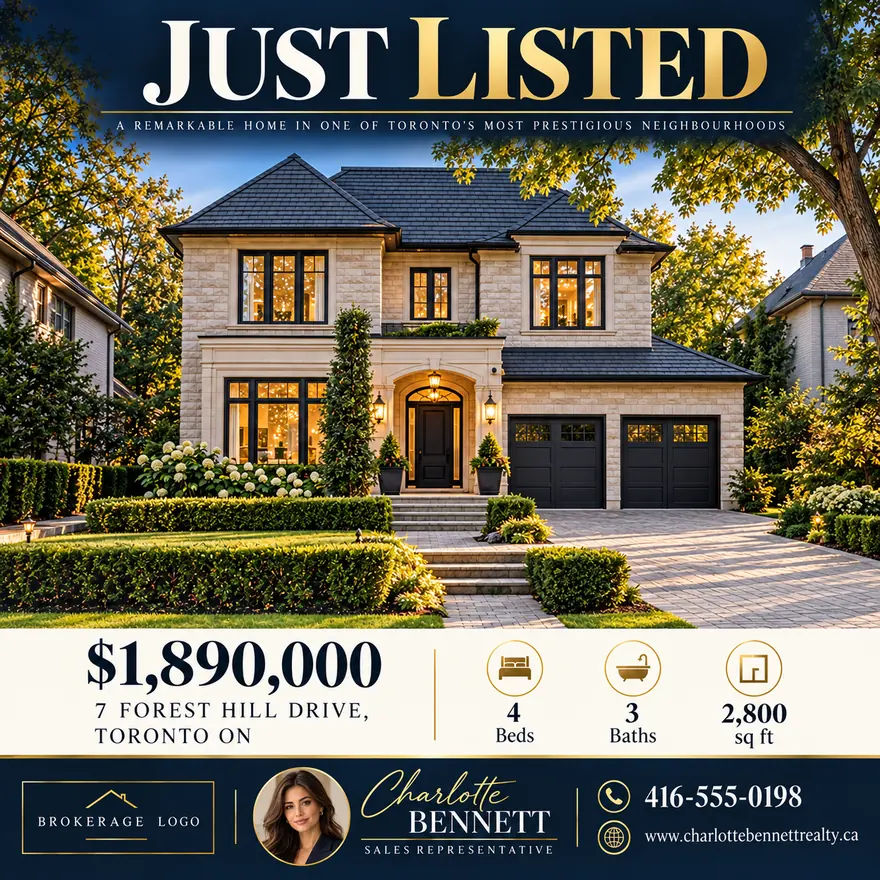
The announcement. One exterior photograph, the address, the price, the figures. Post it the day the listing goes live, when the address is new to everyone who sees it.
Open House
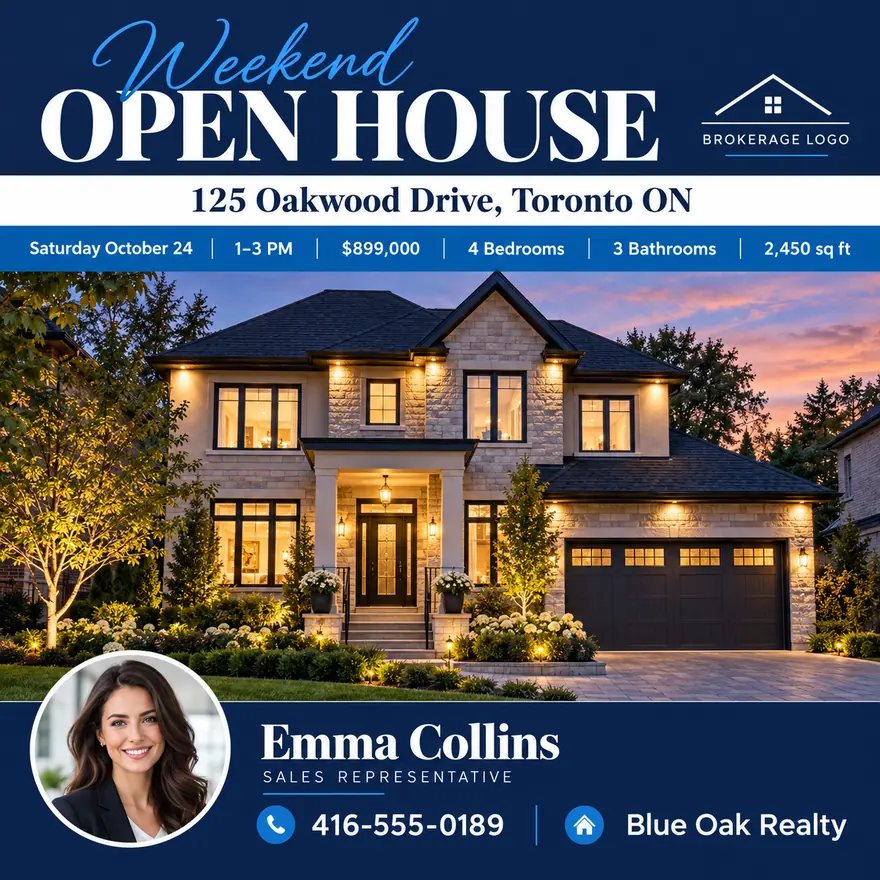
The only listing post with a deadline on it. The date and the time need to be as large as the price, because that is the single piece of information a viewer has to act on. Post it twice — once midweek, once the morning of.
Just Sold
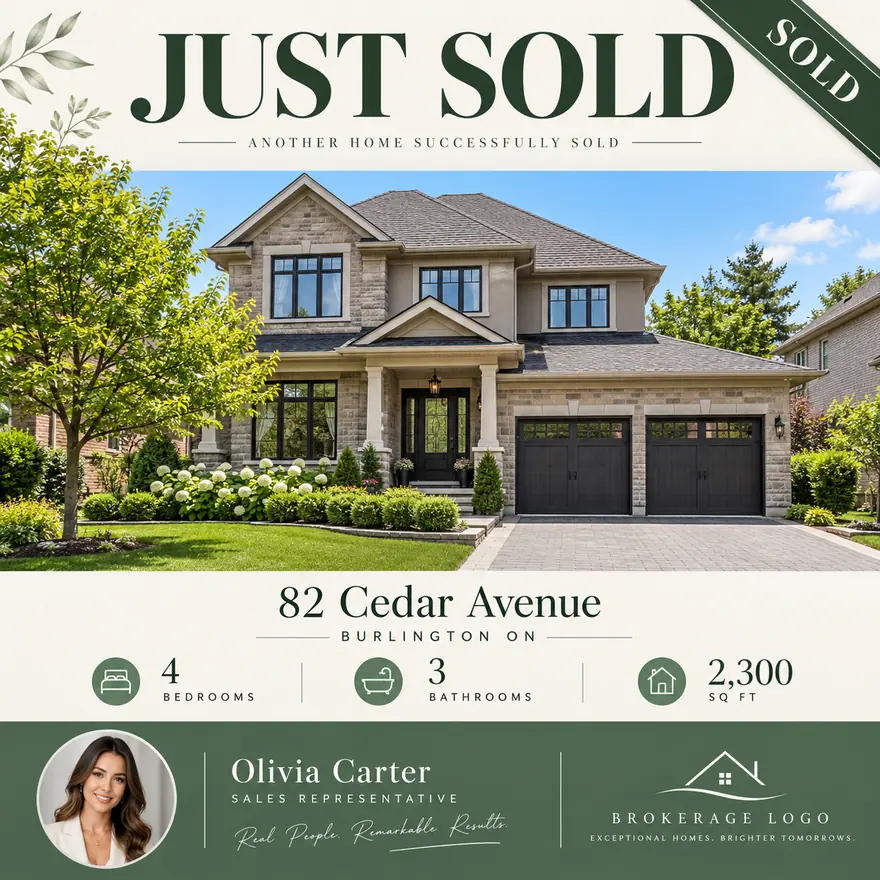
This one is not marketing a property; it is evidence for the next vendor on that street. Keep the address, drop the bedroom count, and let the sold banner do the talking.
Coming Soon
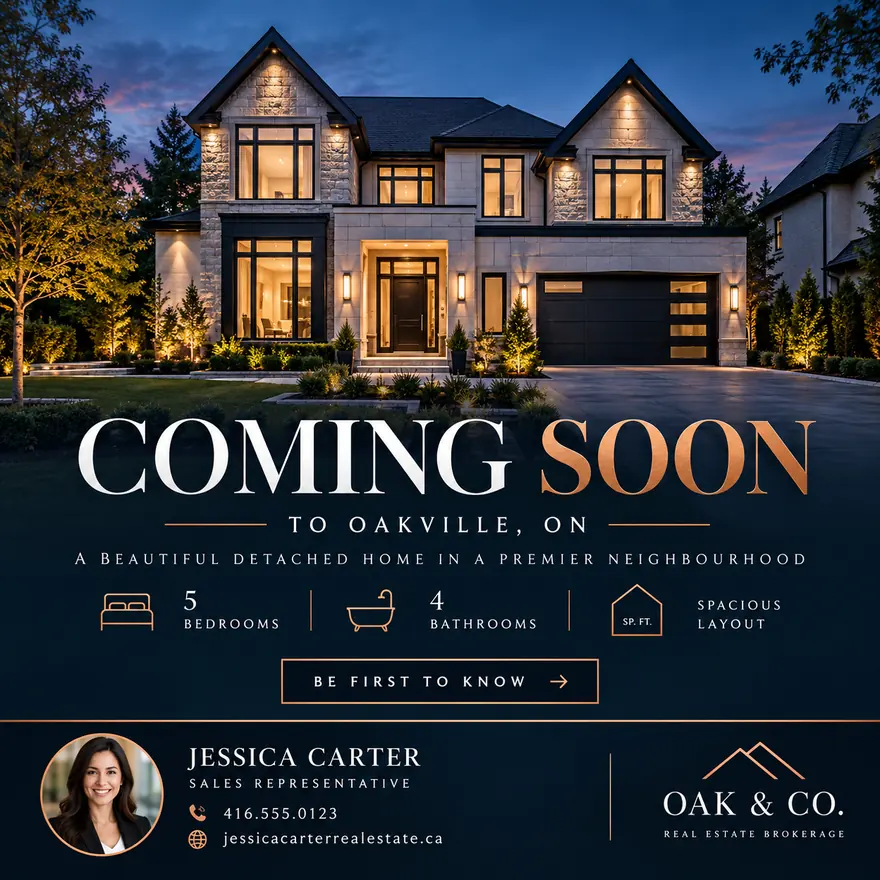
Useful when photography is done and the listing is not live. It buys a week of attention before the portals have it, and it gives interested neighbours a reason to contact you first.
Price Reduced
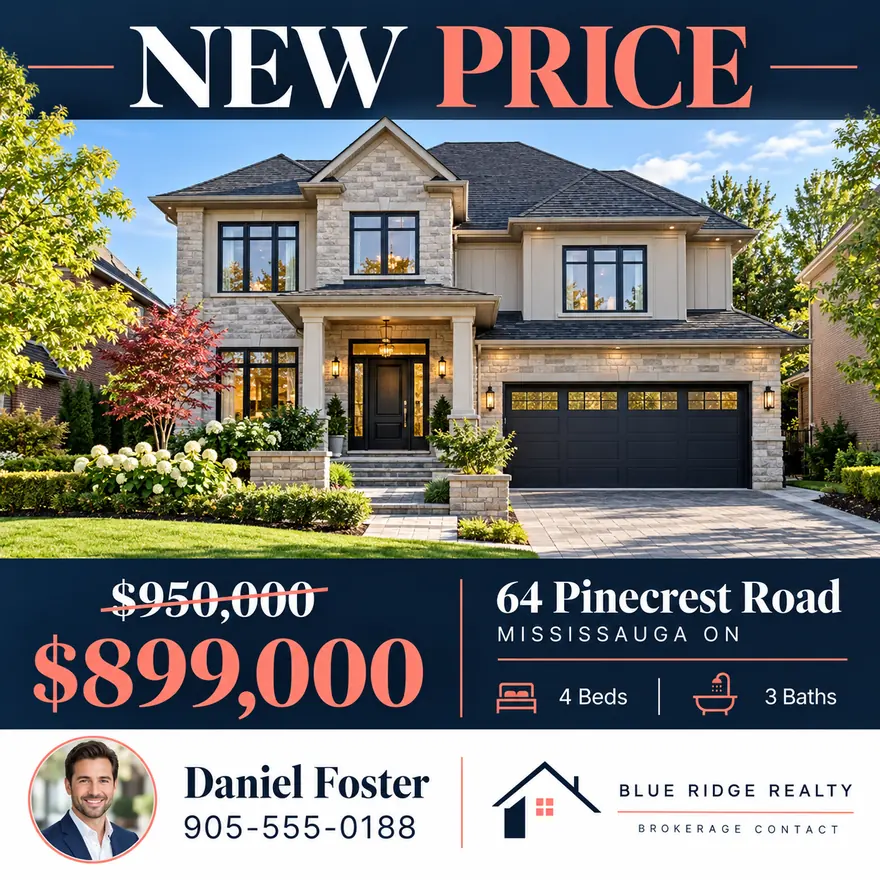
The one post where two prices belong on the card: the previous figure struck through and the new one beside it. The reduction is the news, so the card has to show the size of it.
For Lease
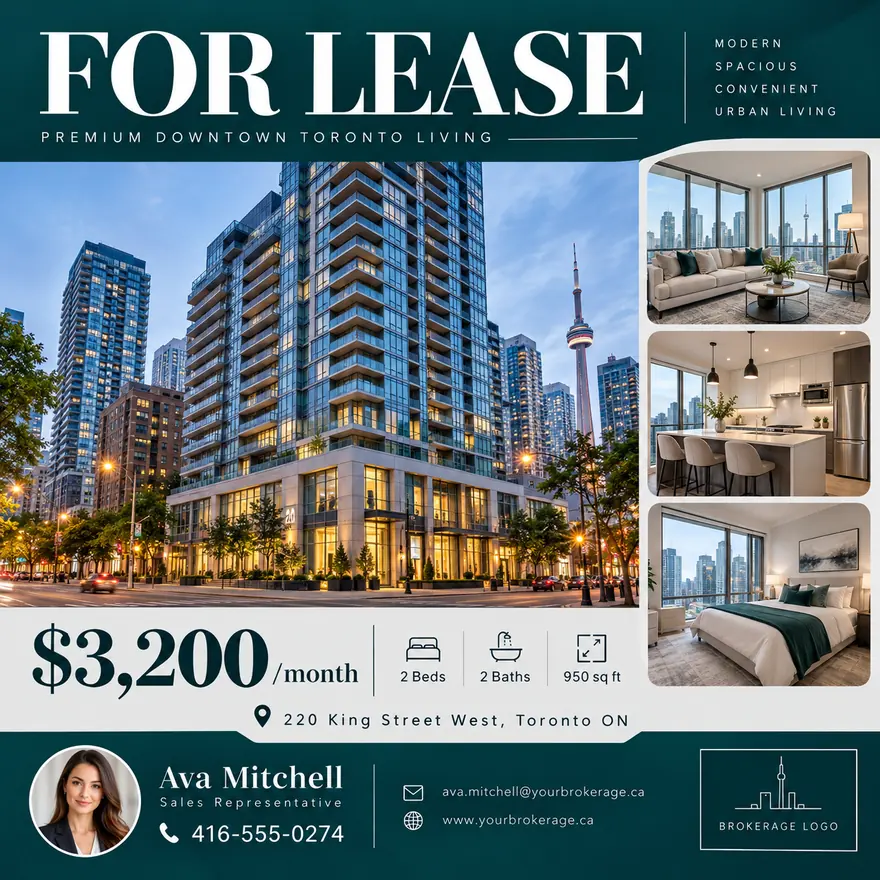
Rental cards swap the asking price for a monthly rent and the lot size for the availability date. Everything else stays where it is.
Write the caption per channel, not once
The same card can carry very different captions. X allows 280 characters and rewards a single line. LinkedIn cuts to "see more" at about 140 and rewards a sentence that earns the expansion. Instagram ignores links entirely, so the call to action has to be "DM me" or "link in bio". WhatsApp is read by people who already know you, so it can be shorter and warmer than anything else.
Write the figures into the caption as well as the card. People copy prices out of captions; they cannot copy them out of an image.
Five mistakes worth avoiding
- Type set for a desktop screen. If you design at 1080 px and the address is 24 px, it is 9 px on a phone. Nothing on a listing card should be under 40 px at 1080.
- A logo on a white box. Brokerage logos usually arrive as JPEGs with a white background. On a dark card that prints as a white sticker; the logo needs a transparent PNG.
- Text in the Story safe zone. The top and bottom 250 px of a 9:16 card are covered by the interface.
- One photograph doing two jobs. The hero shot sells the property; a kitchen close-up sells the lifestyle. They are different posts.
- Posting the brochure. A PDF page photographed and posted as an image is unreadable at feed size. The brochure is for print and email; the card is for the feed.